Everything around the code.
Without the weight of an IDE.
A lightweight native workspace for people who build with a coding agent and don't keep a full IDE open. Here is everything it does — and nothing it doesn't.
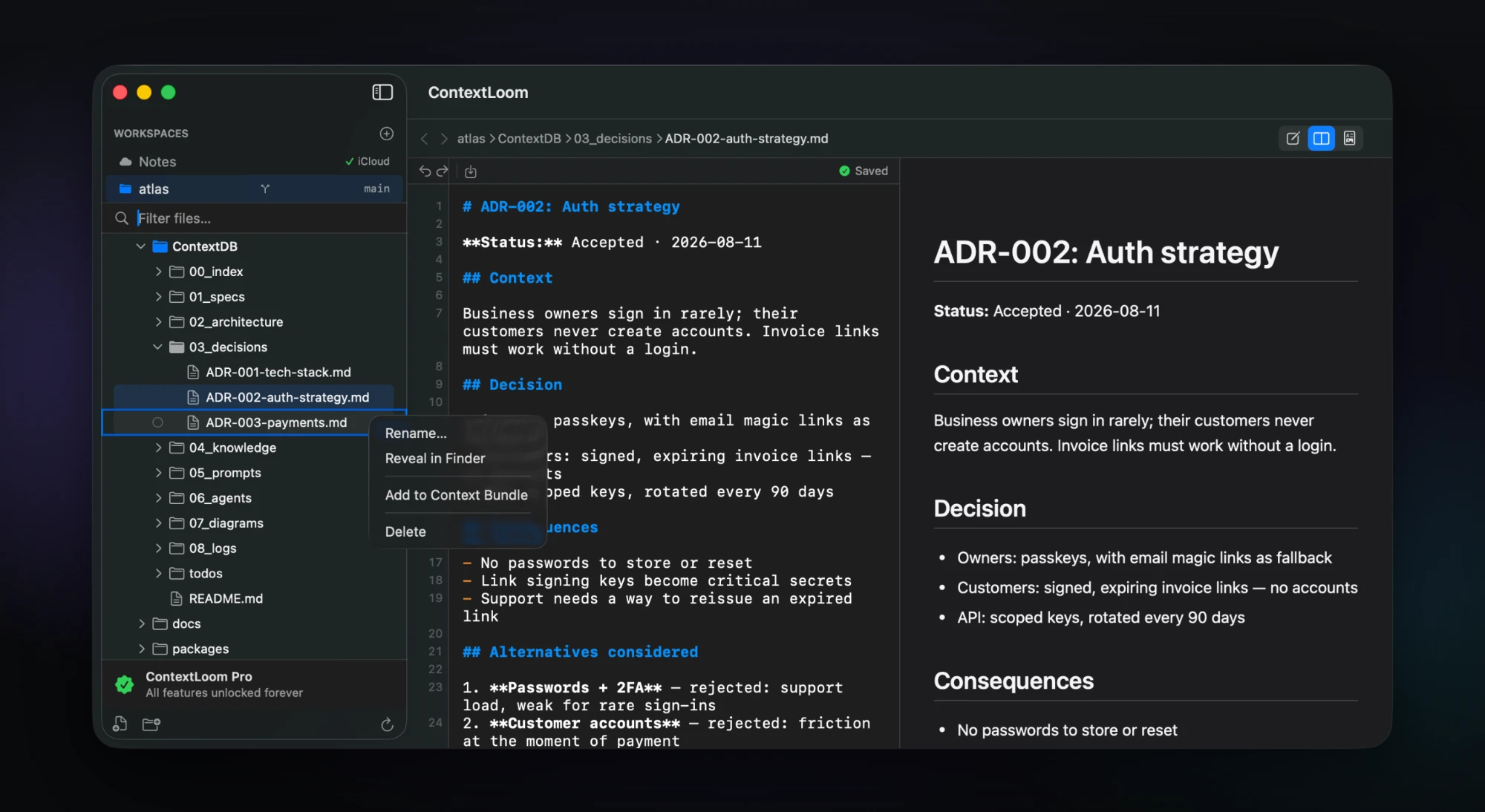
ContextDB
A plain-Markdown context repository in your project, set up only when you ask for it.
- Creates one folder and one README — nothing else in your project is touched
- Opt-in per project: a project belongs to you and to git, so nothing is written until you say so
- A recommended 12-folder taxonomy, from 00_index through 99_scratch and todos
- Appends routing rules to your CLAUDE.md or AGENTS.md so your agent files things in the right place
- Shows you the exact snippet before it writes, and only ever appends — existing content is never rewritten
- The ContextDB folder is highlighted and auto-expanded in the tree
Working next to an agent
The app assumes something else is writing to your files, and behaves accordingly.
- The tree refreshes as files land, keeping your expanded folders, selection and scroll position
- Churn from .git, node_modules, .build, DerivedData, __pycache__ and friends is filtered out before it reaches the tree
- Refresh is debounced but capped, so a continuously-writing agent can't starve the update
- If a file changes on disk while you have unsaved edits, nothing is written — a bar offers Reload, Keep Mine, or Compare
- Compare shows both versions side by side before you choose
- A clean external change reloads in place and flashes "Updated on disk"
- Verified at 50 file events per second sustained for a minute
Git activity
See what your agent changed without leaving the sidebar. A Pro feature.
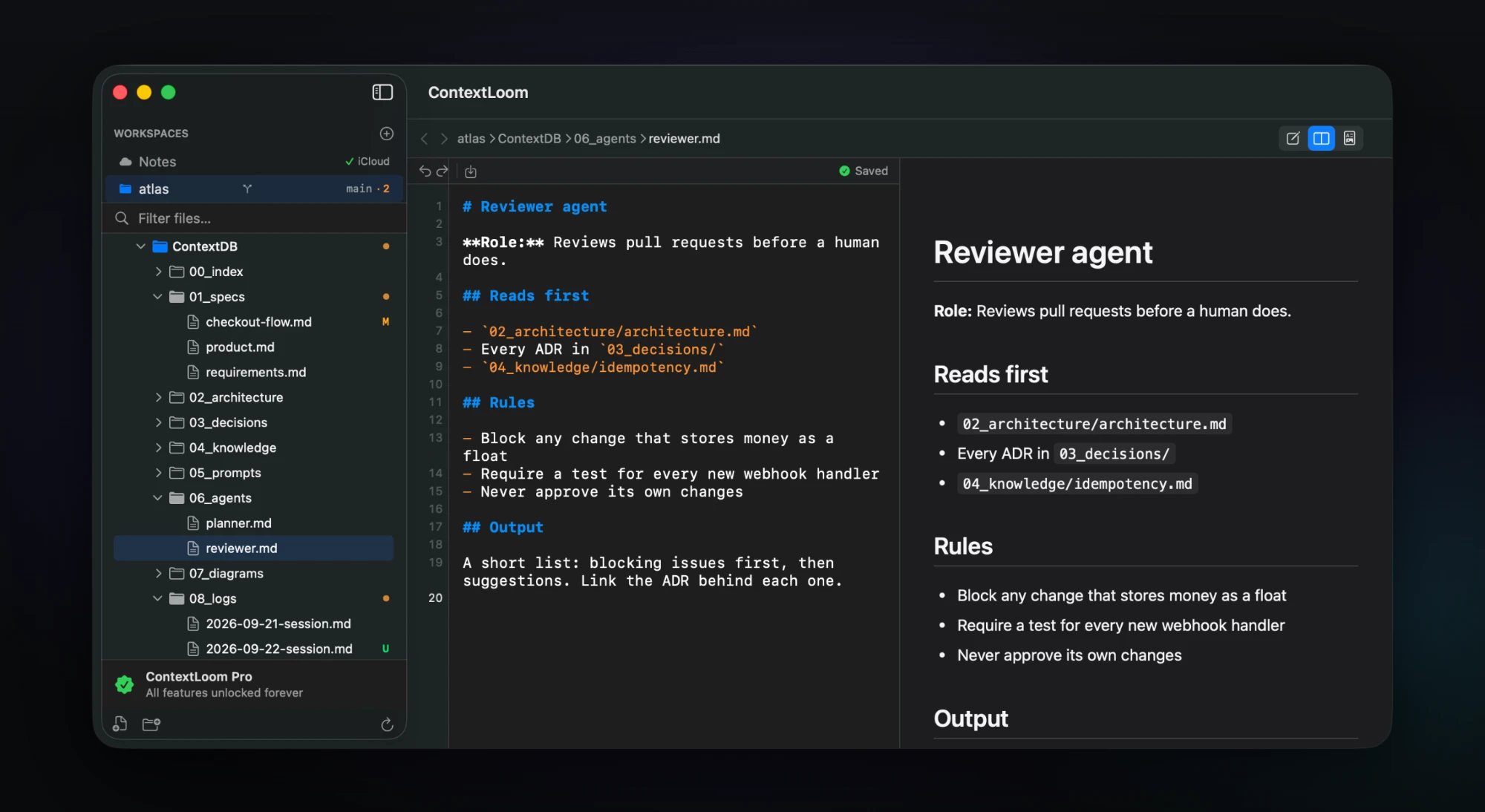
- The workspace row shows the branch and how many files are uncommitted
- Every changed file carries a state letter — M, A, D, R, U and the rest
- Collapsed folders get a dot when something inside them is uncommitted
- Commits and checkouts show up on their own, with the same capped debounce as the file tree
- Read-only: it never stages, commits or rewrites anything
- Read locally through a bundled libgit2 — no network, and your global git config is ignored
- Works with linked worktrees: the sidebar asks once for access to the main repository's .git folder
Context Bundles
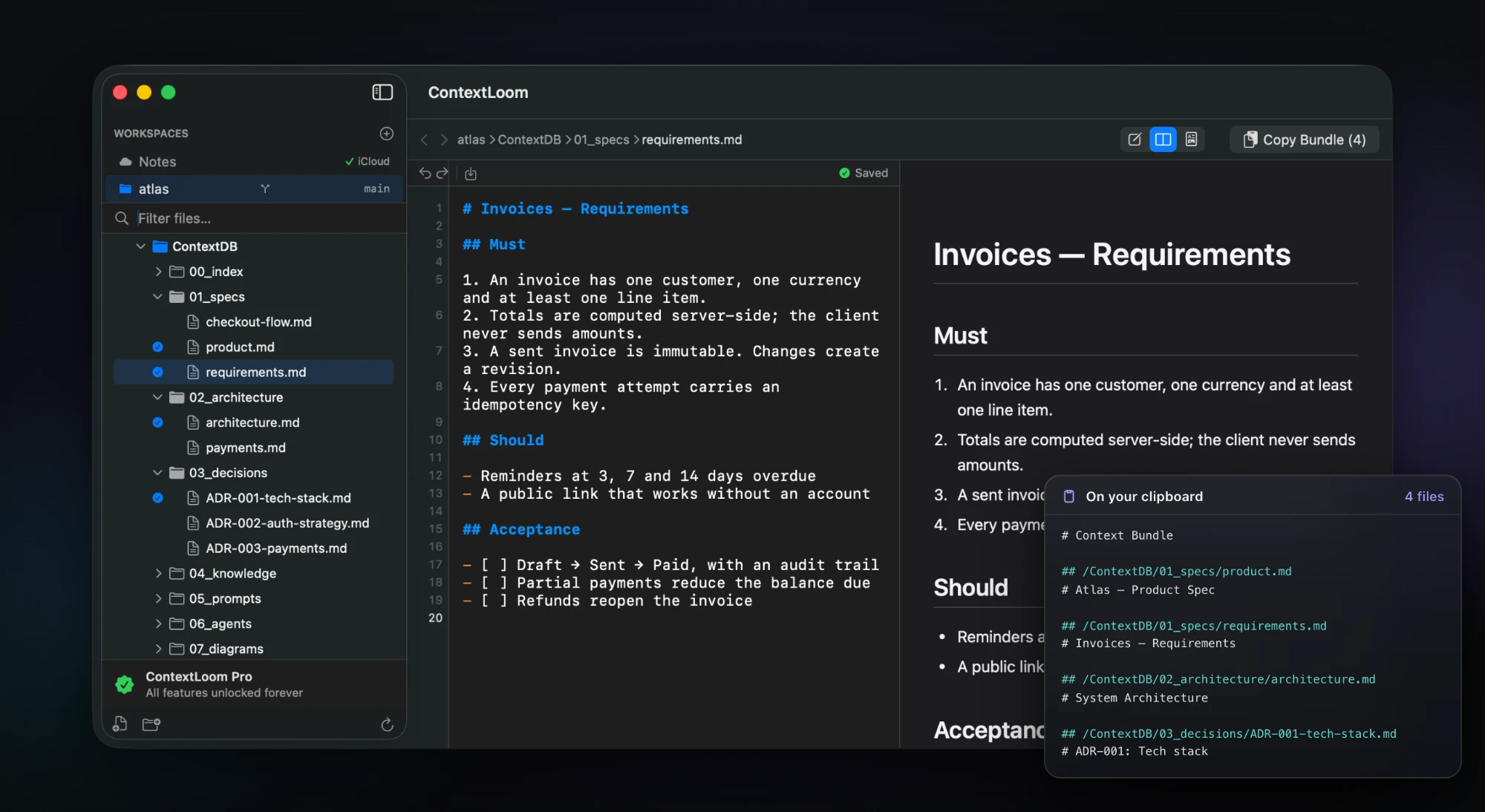
Hand a chat window exactly the files it needs, in one keystroke. A Pro feature.
- Checkbox selection for individual files in the sidebar
- Folder selection includes the files inside it
- Or right-click any file: Add to Context Bundle, and Remove from Bundle to take it back out
- Each file is wrapped with its relative path as a heading, so the structure survives the paste
- Copy with ⇧⌘B or the toolbar button, which shows how many files are selected
- Copies to the clipboard, then clears the selection
- Secret files are excluded twice over — at selection, and again at export even if you picked the whole folder
Secret files stay local
A guarantee enforced in code, not a promise in a privacy policy.
- .env files, .npmrc, .netrc, .pgpass, credentials, SSH keys, .pem, .key and .tfvars are recognized by name
- Never rendered in the preview web view
- Never included in a Context Bundle
- Never created in the iCloud-synced Notes workspace
- Created owner-only (0600) when ContextLoom makes them
- Shown even when git-ignored, because that's usually why you opened the app
- An orange banner states it in the editor — and honestly flips to a warning if macOS itself is syncing that folder
Editor
A real editor for the code and configuration your agent writes, not just Markdown.
- Syntax highlighting for Markdown plus eight language families — JS/TS/JSX/TSX, Swift, Go, Rust, Java/Kotlin, C/C++/ObjC, Python, Ruby, shell, SQL, JSON/YAML/TOML and more
- Line-number gutter with the current line emphasized
- Autosave 500ms after you stop typing, with an Edited / Saved indicator
- Find within the document (⌘F) using the native find bar
- Go to Line (⌘L)
- Undo and redo, from the toolbar or ⌘Z / ⇧⌘Z
- Keystroke-to-highlight stays under 8ms; a 10,000-line file first paints in 11ms
- Binary files and files over 2MB are detected and explained rather than opened as garbage
Live preview
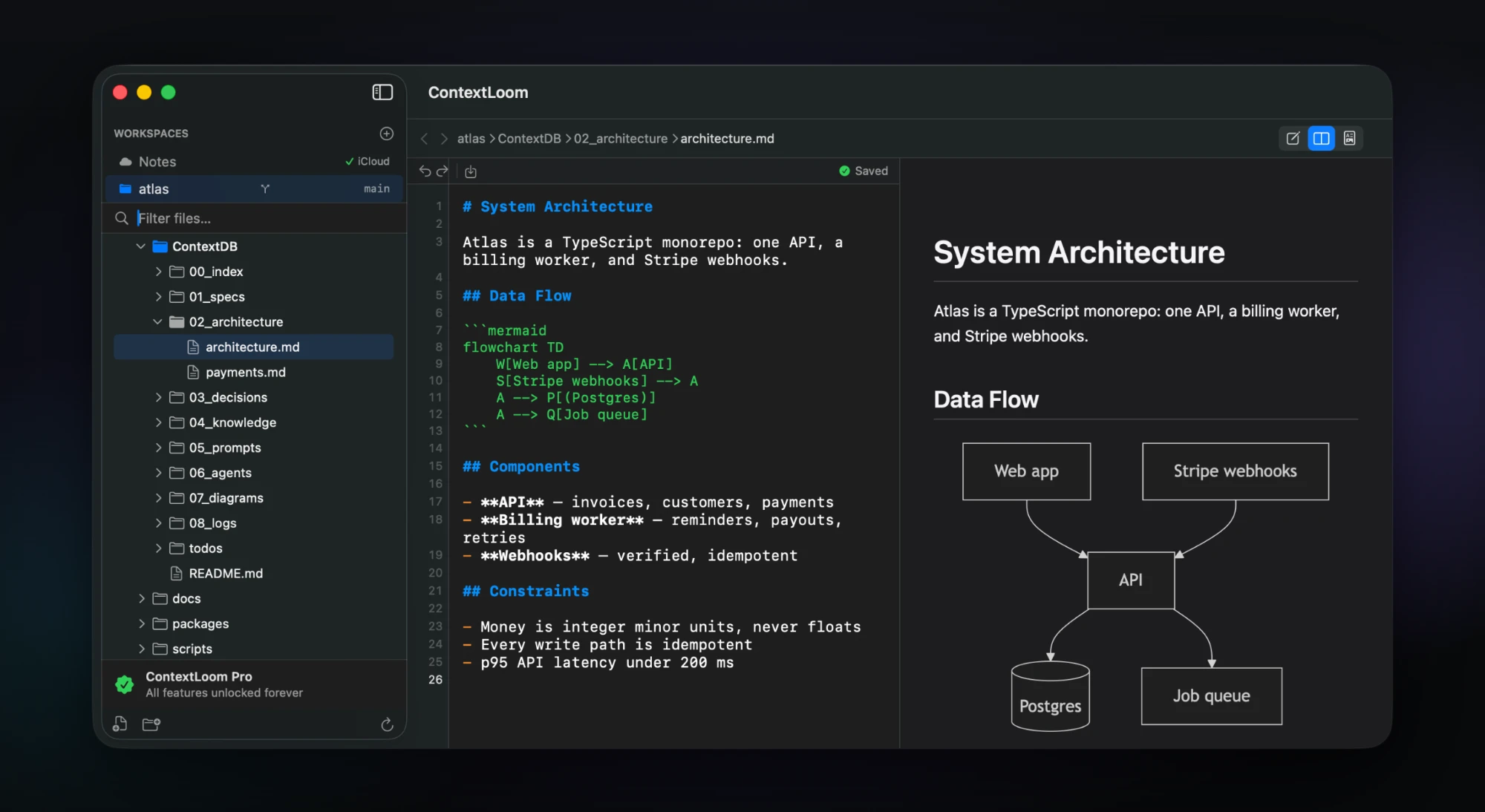
Rendered Markdown and diagrams beside the source, rendered entirely on your Mac.
- GitHub Flavored Markdown — tables, task lists, strikethrough
- Mermaid diagrams drawn from ```mermaid fences — flowcharts, sequence diagrams and the rest of Mermaid's types
- Fenced code blocks with syntax highlighting for 100+ languages
- Relative links navigate to that file inside ContextLoom
- Follows your light or dark appearance
- Everything is local: no file access, no network, nothing uploaded
- Recovers on its own if the rendering process dies
View modes
Three modes, one segmented control.
- Edit — full-width editor with highlighting and line numbers
- Split — editor and live preview side by side, the default
- Read — full-width rendered preview for reviewing what an agent wrote
- Preview applies to Markdown; other files open straight into the editor
Workspaces and navigation
Open any folder. Find your way around a large repository quickly.
- Open a project folder (⇧⌘O), drop a folder on the window, or use Finder's Open With
- Opening a file walks up to the project root — .git, package.json, Cargo.toml, go.mod, CLAUDE.md and more — so you get the repository
- A built-in Notes workspace for prompts and reference material that isn't tied to a repo
- Persistent access across launches via macOS security-scoped bookmarks
- Lazy-loading file tree that stays responsive in large projects
- Filter the tree by filename, inline rename, breadcrumb path, and back/forward history (⌘[ / ⌘])
- Per-workspace expansion state, so a project reopens the way you left it
- Show Ignored Files when you actually need to see build output
Fits an existing workflow
No daemon, no shell changes, no lock-in.
- Open a project from the terminal with macOS's own open command — alias it to something short if you like
- ContextLoom installs nothing into your shell and changes no dotfiles
- contextloom:// URL scheme for Shortcuts, Automator and scripts
- Root .gitignore is respected when deciding what to show
- Plain Markdown on disk, fully Git-compatible — no proprietary format, no database
- No account, no server, and no network calls at all
- Optional iCloud sync for the Notes workspace; project folders are never synced by ContextLoom
Where it sits
ContextLoom isn't trying to be your editor of record. It's the workspace for everything around the code when your agent is doing the typing.
| ContextLoom | Obsidian | iA Writer | VS Code | |
|---|---|---|---|---|
| Native macOS app | Yes | Electron | Yes | Electron |
| Built around a coding agent | Yes | No | No | Extensions |
| Context bundles for AI | Yes | No | No | No |
| Recommended context taxonomy | Yes | No | No | No |
| Writes your agent's routing rules | Yes | No | No | No |
| Live Mermaid diagrams | Yes | Plugin | No | Extension |
| Git status in the sidebar | Yes | Plugin | No | Yes |
| Secret files never leave the Mac | Enforced | No | n/a | No |
| Edit-conflict protection | Yes | Basic | Basic | Yes |
| Opens as a lightweight companion | Yes | Yes | Yes | No |
| Price | $9.99 once | Free / $50 yr | $49.99 | Free |
| Account required | No | Optional | No | Optional |
Comparison reflects the default configuration of each tool at the time of writing.
Tech specs
- Platform
- macOS 13 (Ventura) or later
- UI framework
- SwiftUI + AppKit — no Electron
- Editor
- NSTextView with custom highlighting
- Markdown rendering
- marked.js, bundled locally
- Syntax highlighting
- highlight.js (100+ languages)
- Diagrams
- Mermaid.js, bundled, loaded only when a document has a diagram
- File watching
- FSEvents, file-level, 0.5s latency
- Git
- libgit2, read-only, bundled — no git install needed
- File format
- Plain Markdown (.md), UTF-8
- Sync
- Optional iCloud Drive, Notes workspace only
- Network
- None — the app makes no network calls
- Distribution
- Mac App Store, sandboxed