The workspace beside your AI coding agent

Your AI agent can code.
Keep it in context.

ContextLoom is the lightweight workspace for AI-native development. Write the specs, architecture and decisions your agent works from, read what it writes back, and keep that context long after the session ends.

Native macOS · Local-first · Plain Markdown · Git-friendly

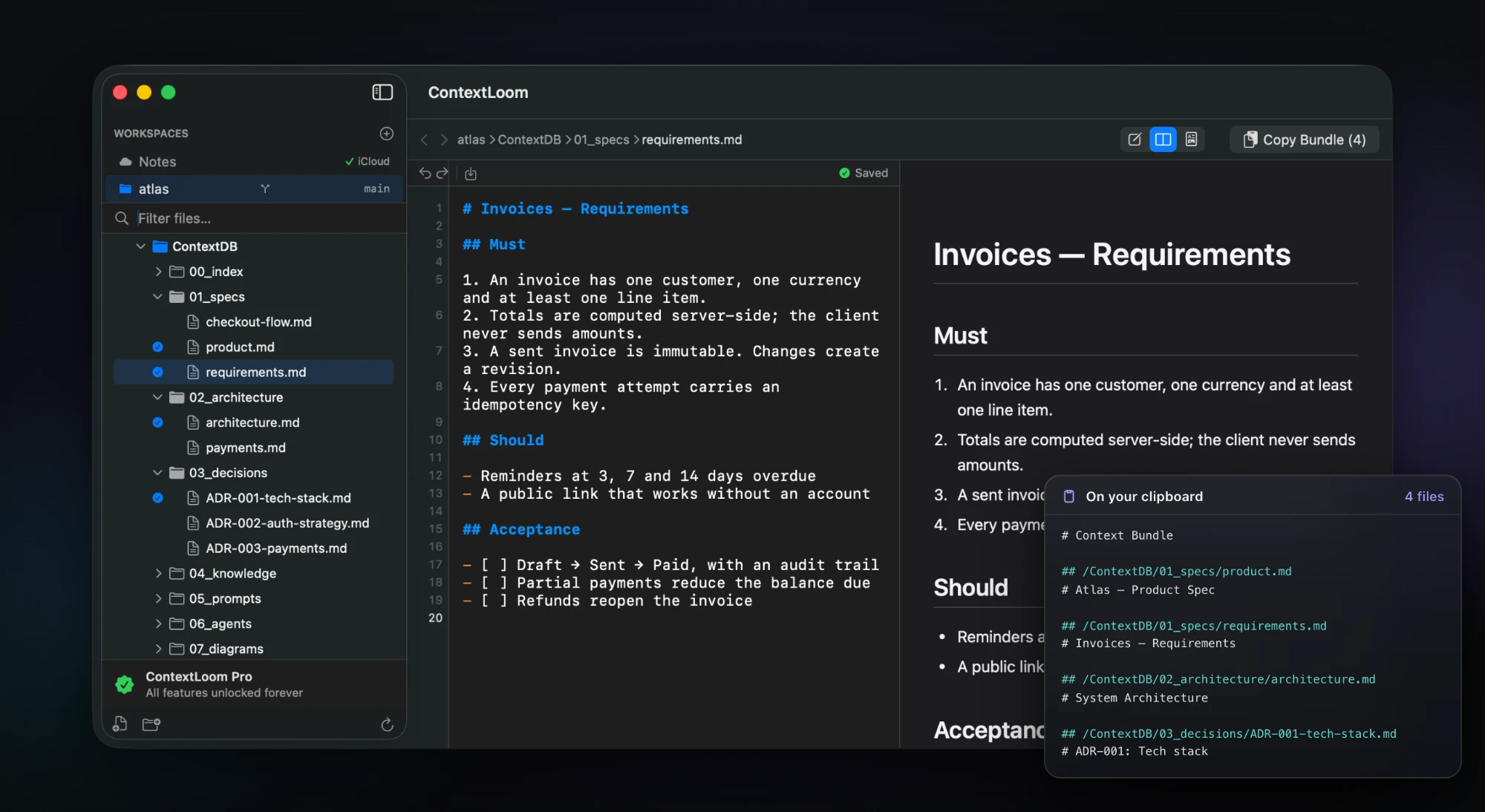
ContextLoom with four ContextDB files checked in the sidebar, the requirements spec open in split view, and a Copy Bundle (4) button in the toolbar. Beside the window, the bundle's text as it lands on the clipboard.
ContextDB in the sidebar, the spec in the editor, and the four files your agent gets — as they land on the clipboard. More screenshots

Built for terminal-first workflows

Claude CodeCodex and any agent that writes files

Designed around Claude Code and Codex — it writes the routing rules into your CLAUDE.md or AGENTS.md, and keeps .claude, .codex, .cursor and .github visible in the tree. Anything else that reads files works too, because it's all plain Markdown on disk.

The problem

Agents forget.
Files remember.

Every session starts from zero. The architecture you explained last week, the approach you ruled out, the constraint that matters — it all ends with the context window. Keep it as plain Markdown instead, and it's still there tomorrow, for you and for whichever agent you run next.

Your project context

  • 01_specs/product.md
  • 01_specs/requirements.md
  • 02_architecture/architecture.md
  • 03_decisions/ADR-002-auth-strategy.md
  • 06_agents/reviewer.md

Your coding agent

$ claude

Reading project context…

✓ CLAUDE.md
✓ ContextDB/01_specs
✓ ContextDB/03_decisions
✓ ContextDB/06_agents

Context loaded. ADR-002 rules out
customer accounts, so invoice links
stay signed and login-free.

One shared source of truth

Context that survives every agent session.

  1. 01 / DEFINE

    You define intent

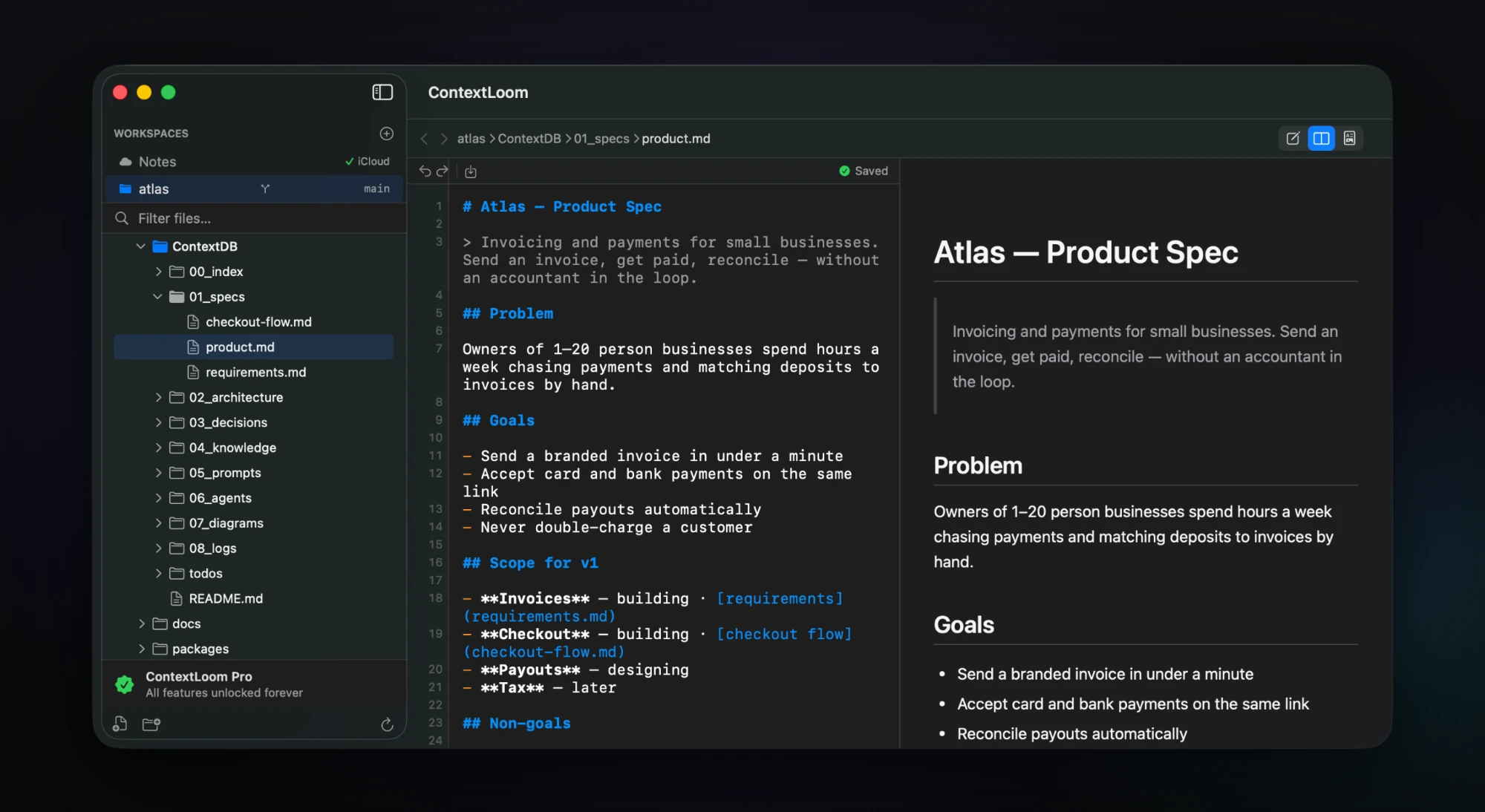
    Write the specs, architecture and constraints that say what you're building — and what you don't want built. The problem, the goals, what's in scope for v1: the part an agent can't infer from your code.

    The Atlas product spec in ContextLoom's split view: problem, goals and scope in Markdown, rendered alongside.
  2. 02 / STORE

    ContextLoom keeps it durable

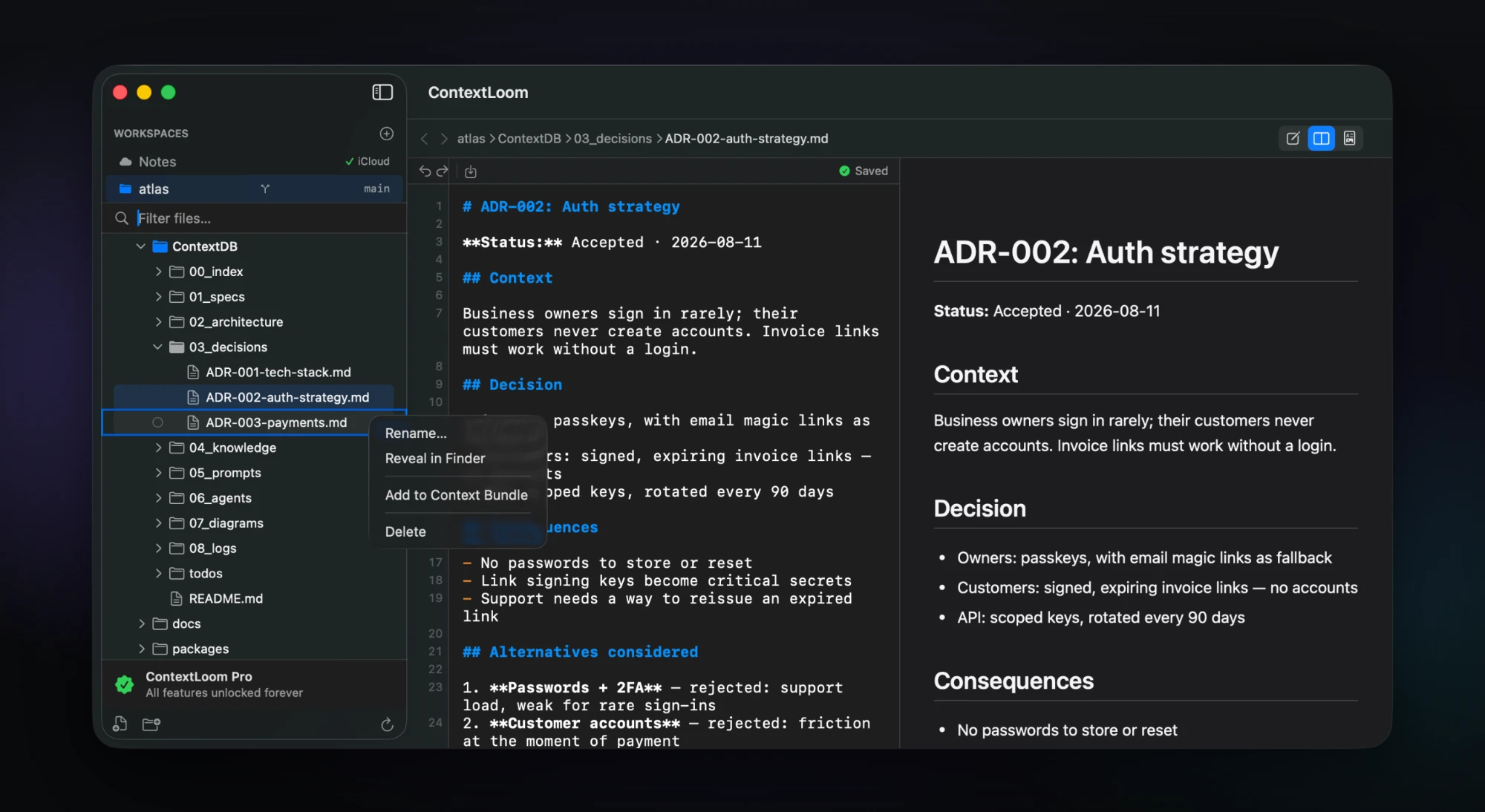
    It lives in your repo as plain Markdown, in a taxonomy both you and an agent can navigate. Decisions keep the alternatives you rejected and why — and any file is a right-click away from a Context Bundle.

    An auth-strategy ADR open in ContextLoom, with the right-click menu on another decision record showing Add to Context Bundle.
  3. 03 / BUILD

    Your agent reads it

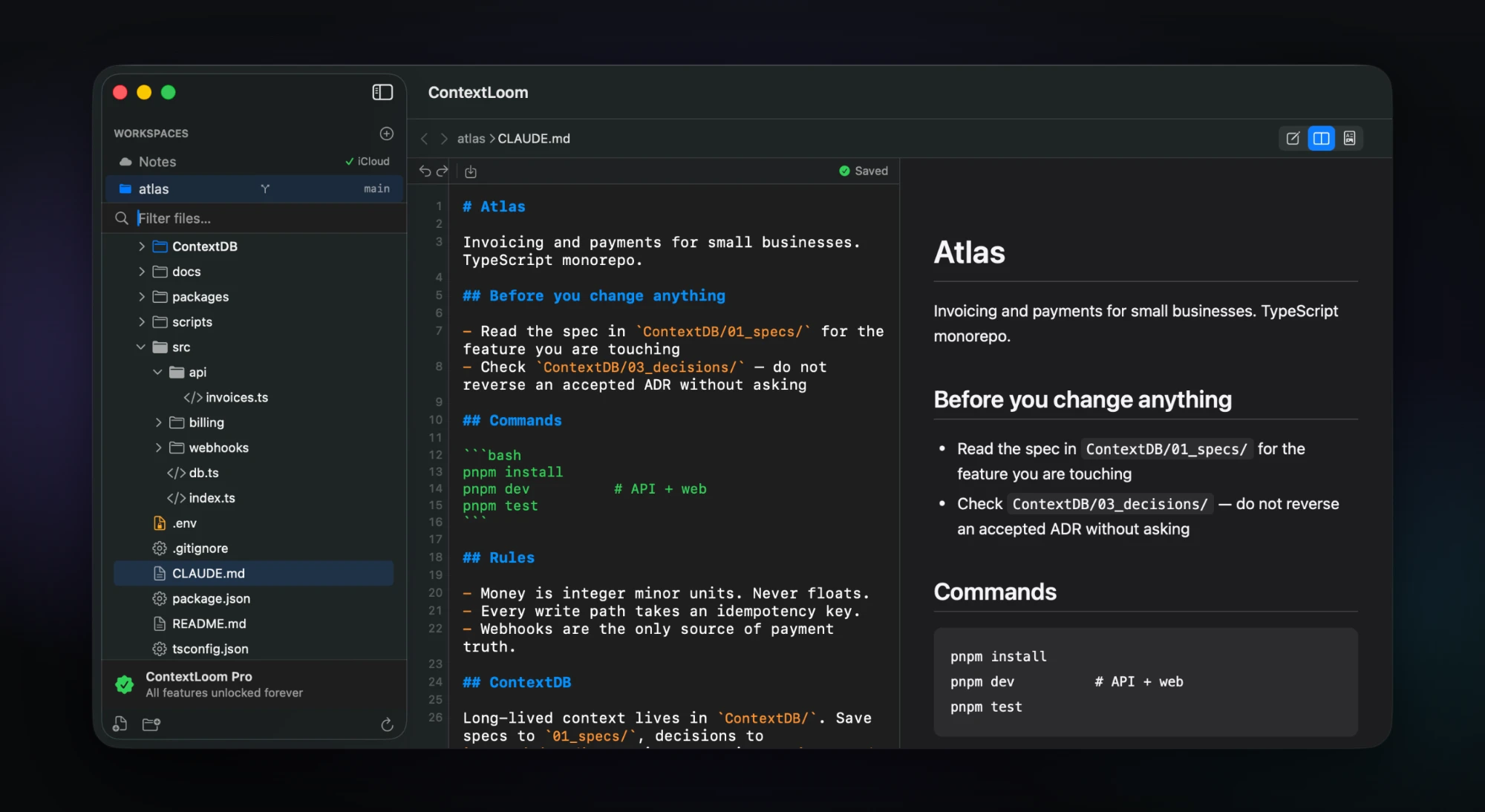
    Your CLAUDE.md or AGENTS.md points the agent at ContextDB before it touches anything. Claude Code, Codex or anything else starts from the same project knowledge instead of from nothing.

    The project's CLAUDE.md in ContextLoom, telling the agent to read ContextDB/01_specs and check ContextDB/03_decisions before changing anything.
  4. 04 / REMEMBER

    The knowledge compounds

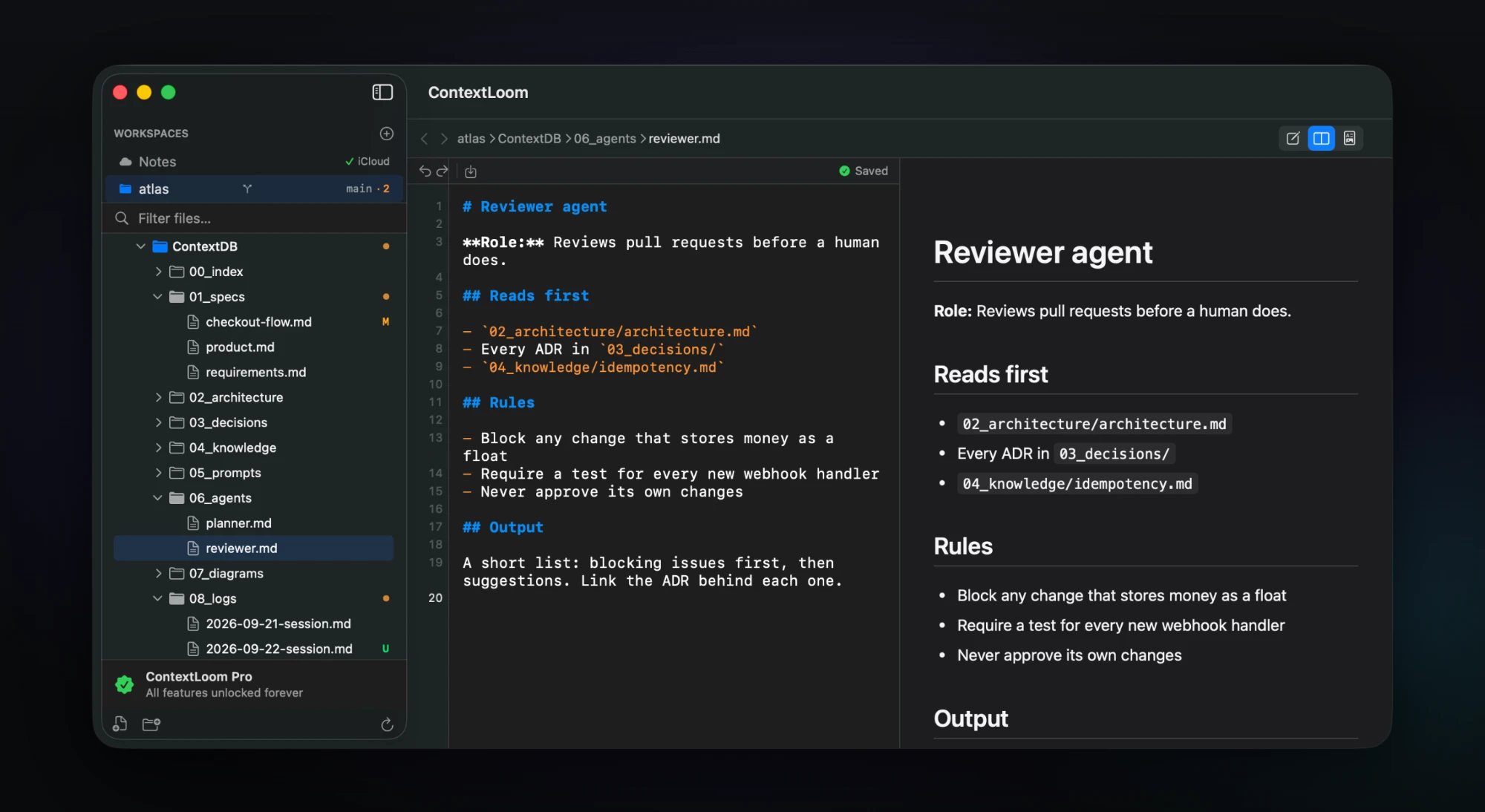
    Session logs and new decisions stay with the project. As your agent works, the sidebar shows what it changed — the branch and change count, a dot on dirty folders, a letter on every file.

    ContextLoom's sidebar showing the branch and change count main · 2, dots on folders with uncommitted changes, and M and U badges on files, including a new session log in 08_logs.

Not another heavyweight IDE

The IDE for context, not code.

If your coding agent already lives in the terminal, you don't need a second development environment open beside it. ContextLoom is the visual layer that's missing: the specs, architecture, diagrams and project memory your agent runs on — plus a real editor for the moments you need to read the code or change one value yourself.

Built for agentic development

What it actually does.

Every capability here ships in the app today.

ContextDB

A plain-Markdown context folder with a recommended taxonomy from 00_index to 99_scratch. Opt-in per project — it shows you the exact snippet, then appends the routing rules to your CLAUDE.md or AGENTS.md so your agent files things in the right place.

Context Bundles

Tick the files that matter for the task, then copy them as one formatted block — each with its path as a header — ready to paste into any chat window.

Markdown & Mermaid, rendered live

GitHub Flavored Markdown with Mermaid diagrams and syntax-highlighted code, side by side with the editor. Relative links navigate to the file they point at. Everything renders locally; nothing is uploaded.

Keeps up while your agent writes

The tree refreshes as files land without collapsing the folders you opened, and .git and node_modules churn is filtered out. If a file changes under your unsaved edits, it stops and offers Reload, Keep Mine, or Compare — it never silently overwrites.

Secrets stay on your Mac

.env and key files are recognized by name, created owner-only, and never previewed, never synced, and never included in a bundle — even when you select the whole folder.

Native, and it never touches your repo

SwiftUI and AppKit, not Electron — highlighting keeps up under 8ms a keystroke. Opening a project writes nothing into it; ContextDB is only ever created when you ask.

Built for agentic development

The missing piece between your coding agent and your project knowledge — specs, architecture and decisions in a form both of you can read.

Native macOS performance

SwiftUI and AppKit. A 10,000-line file paints in 11ms and the tree holds steady at 50 file events a second, which is what working next to an agent actually looks like.

Plain files, full control

Markdown on disk, versioned with Git. No proprietary format, no database, no account, and no network — nothing is ever uploaded.

ContextLoom for macOS

Let your agent write the code.
You control the context.

A lightweight workspace for building software with AI coding agents.

7-day free trial · $9.99 once · No subscription